Banners para firmas de email de Acción de Gracias
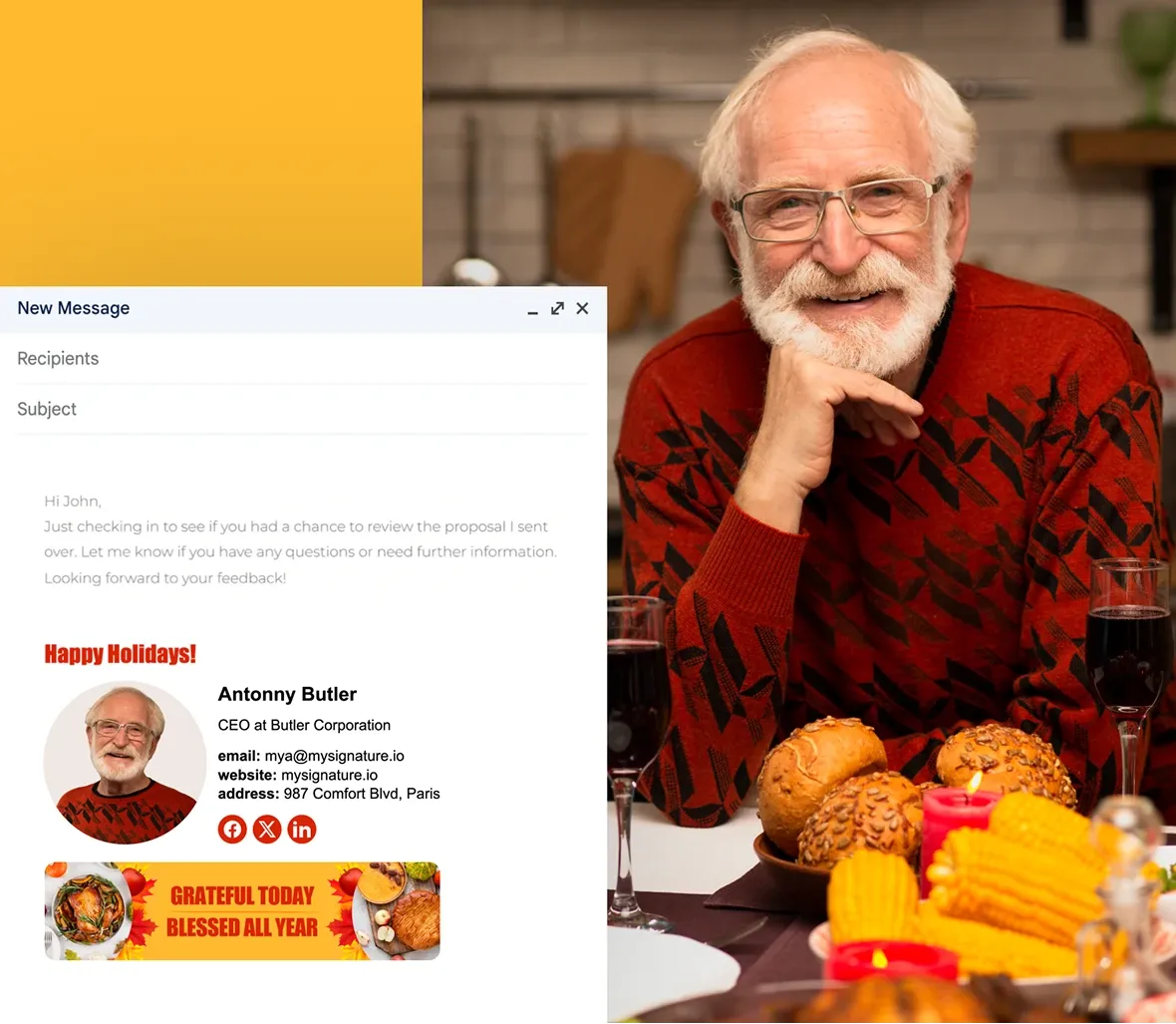
Explorar plantillas de bannersExplora docenas de banners para firmas de email con motivos de Acción de Gracias y dale a tus emails un toque festivo y atractivo. Elige tu diseño favorito y añádelo a tu firma de email de Acción de Gracias.
Ejemplos gratuitos de banners para firmas de email de Acción de Gracias
Haz clic en cualquier banner que te guste para crear una firma de email. Elige una plantilla estática o animada de la galería de banners del editor MySignature.





Ver otros banners distintivos de las fiestas
No olvides actualizar tu firma de email después del Día de Acción de Gracias con banners para Navidad, Año Nuevo, San Valentín, Pascua y mucho más.
Banners del Cyber Monday
Banners para firmas de email del Black Friday
Día Internacional de la Mujer
Banners para firmas de email del 4 de julio
Banners de Halloween
Banner para Pascua
Banners para firmas de email inmobiliarias
Banners para la firma de email de Año Nuevo
Banners para firmas de email navideñas
Cómo agregar un banner a tu firma de email de Acción de Gracias
Elige el banner que te guste y sigue los pasos:
Crea una firma de email para el Día de Acción de Gracias
Inicia sesión en tu cuenta de MySignature y abre el Editor de firmas.

En el editor, ve a la sección Imágenes.

Selecciona Galería de banners para explorar los diseños disponibles.

Elige el diseño de banner estático o animado que más te guste.

Haz clic en «Añadir a la firma» para insertar el banner en su lugar.

También puedes subir tu propio banner/diseño (por ejemplo, desde Canva) si lo prefieres.

Ajusta el tamaño o la ubicación si es necesario dentro del editor para que el banner quede equilibrado con el resto de la firma.

Guarda tu firma cuando estés satisfecho con su aspecto.
Consejos para crear un banner de firma de email para el Día de Acción de Gracias
Dale a tus emails un toque festivo este Día de Acción de Gracias con una firma cálida y acorde con la temporada:
- Elige un banner de Acción de Gracias de la galería de MySignature o añade tu propio diseño para crear un ambiente festivo.
- Asegúrate de que el banner combine bien con el texto de tu firma para que tenga un aspecto impecable.
- Elige colores que evoquen la temporada, como naranjas cálidos, marrones o amarillos dorados.
- Antes de enviar, comprueba cómo aparece tu firma en diferentes clientes de email para asegurarte de que se vea bien.
- Después de las vacaciones, cámbialo para mantener tus emails actualizados y frescos.

F.A.Q
¿Cuál es el tamaño del banner para añadirlo a una firma de email?
El tamaño típico de un banner es de 640 × 480 píxeles, lo que permite mantener una buena calidad sin ocupar mucho espacio. Intenta que el archivo no supere 1 MB para que se cargue rápidamente en cualquier plataforma.
¿Qué tamaño debe tener el banner de la firma de email de Acción de Gracias?
El tamaño recomendado para el banner es de aproximadamente 640 × 480 píxeles. Esto garantiza que tu banner se vea nítido y se cargue rápidamente. Mantén el archivo por debajo de 1 MB para que tus emails se abran sin problemas en cualquier dispositivo.
¿Puedo diseñar mi propio banner de email para el Día de Acción de Gracias?
¡Sí! En MySignature, puedes subir un diseño personalizado (por ejemplo, uno creado en Canva o Photoshop). Solo asegúrate de que los colores y el estilo coincidan con tu firma para lograr un aspecto profesional.
¿Cómo agregas un banner de Acción de Gracias a tu firma de email en Gmail?
Es muy sencillo: inicia sesión en tu cuenta de MySignature, elige o sube tu banner y añádelo a tu firma. Una vez guardado el diseño, cópialo en la configuración de firma de Gmail y pégalo allí.