Firma de correo profesional para responsables de marketing: plantillas y consejos
Crear una firma de correoUna buena firma de correo de marketing no es solo una despedida: es una pequeña valla publicitaria de tu marca. Con el diseño adecuado y bien adaptado, generas confianza, te quedas en la memoria e incluso llevas clics a tus ofertas. Es un empujón sutil que mantiene tu negocio presente cada vez que pulsas «Enviar».

Cómo crear la firma de correo para marketing en 2026
¿Quieres una forma sencilla de que cada correo te dé resultados?
Una firma de correo de marketing cuidada te da un aspecto más profesional, genera confianza con los clientes y les pone muy fácil contactar contigo. Es como añadir un apretón de manos al final de cada mensaje: profesional, cercano y memorable.
Que sea limpia, pero con tu marca
En 2026 el minimalismo sigue ganando, pero sin quedarse soso. Usa los colores, las tipografías y el logotipo de tu marca con sutileza para que la firma sea una extensión natural de tu marketing. Cuida los espacios para que se lea bien en cualquier dispositivo.

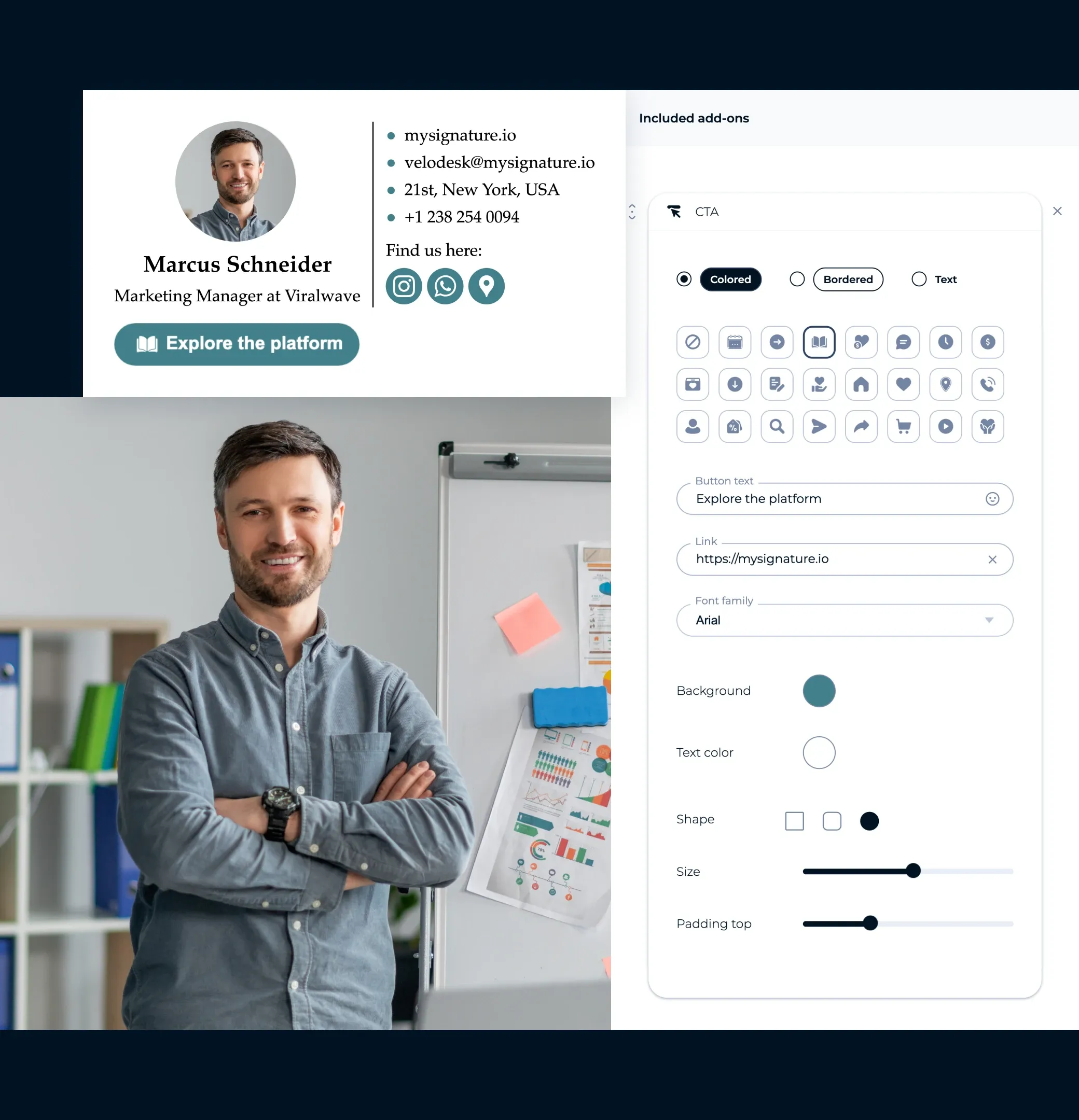
Añade una llamada a la acción clara
Tu firma puede hacer mucho más que despedir el correo. Añade un botón breve en el que se pueda hacer clic, del tipo «Reservar una demo» o «Empezar la prueba gratis», para convertir los correos del día a día en oportunidades de venta.
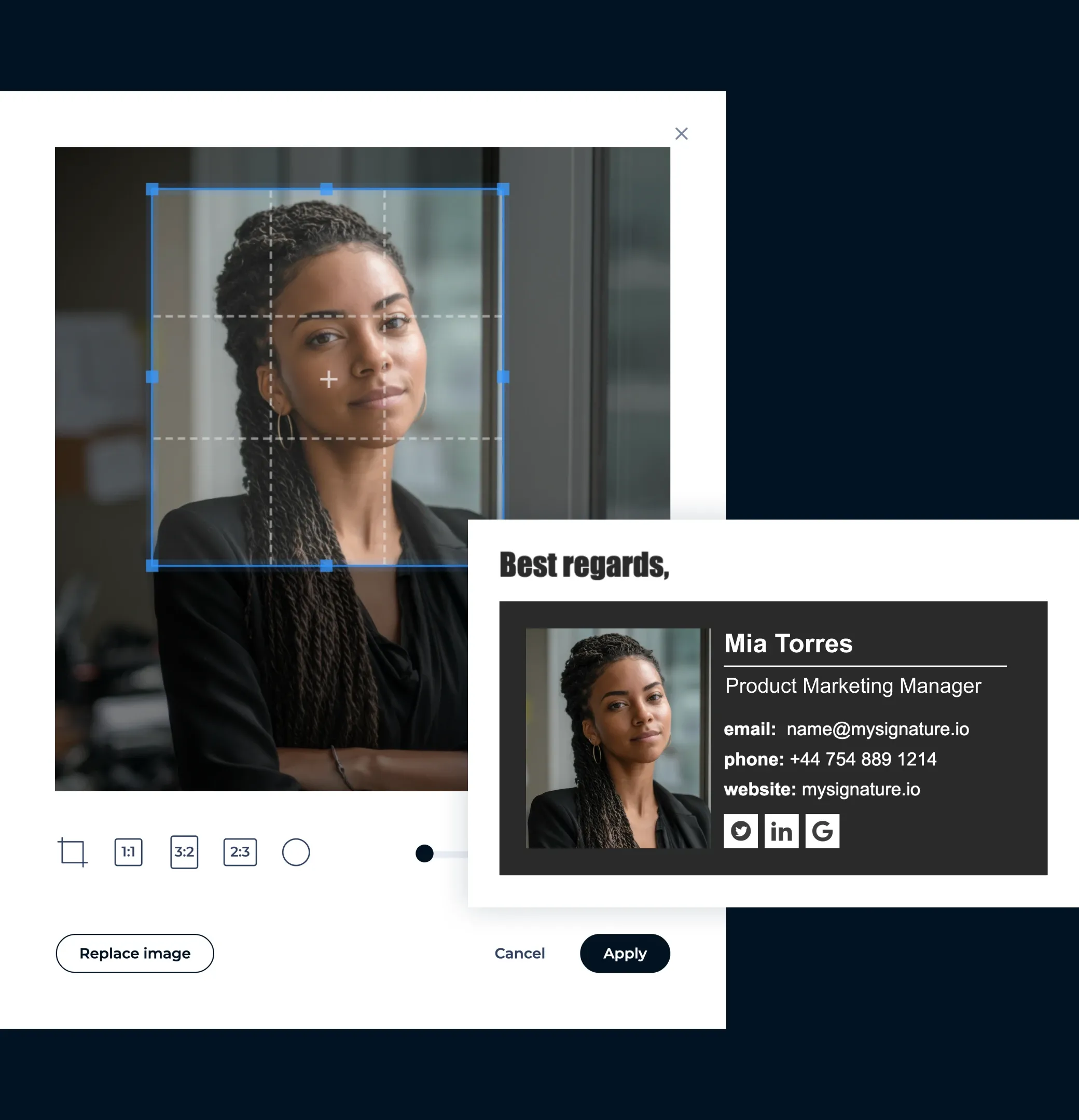
Usa un retrato o logotipo profesional
Las caras generan conexión. Una foto nítida y cercana (o una imagen de marca que encaje) te hace más accesible y genera confianza, sobre todo en los correos de captación o de trato con clientes.
Incluye solo los enlaces más importantes
No llenes tu firma con todos los perfiles sociales que tengas. Céntrate en los 2 o 3 enlaces que más importan para tu marketing, como LinkedIn, tu web o la landing page de una campaña.

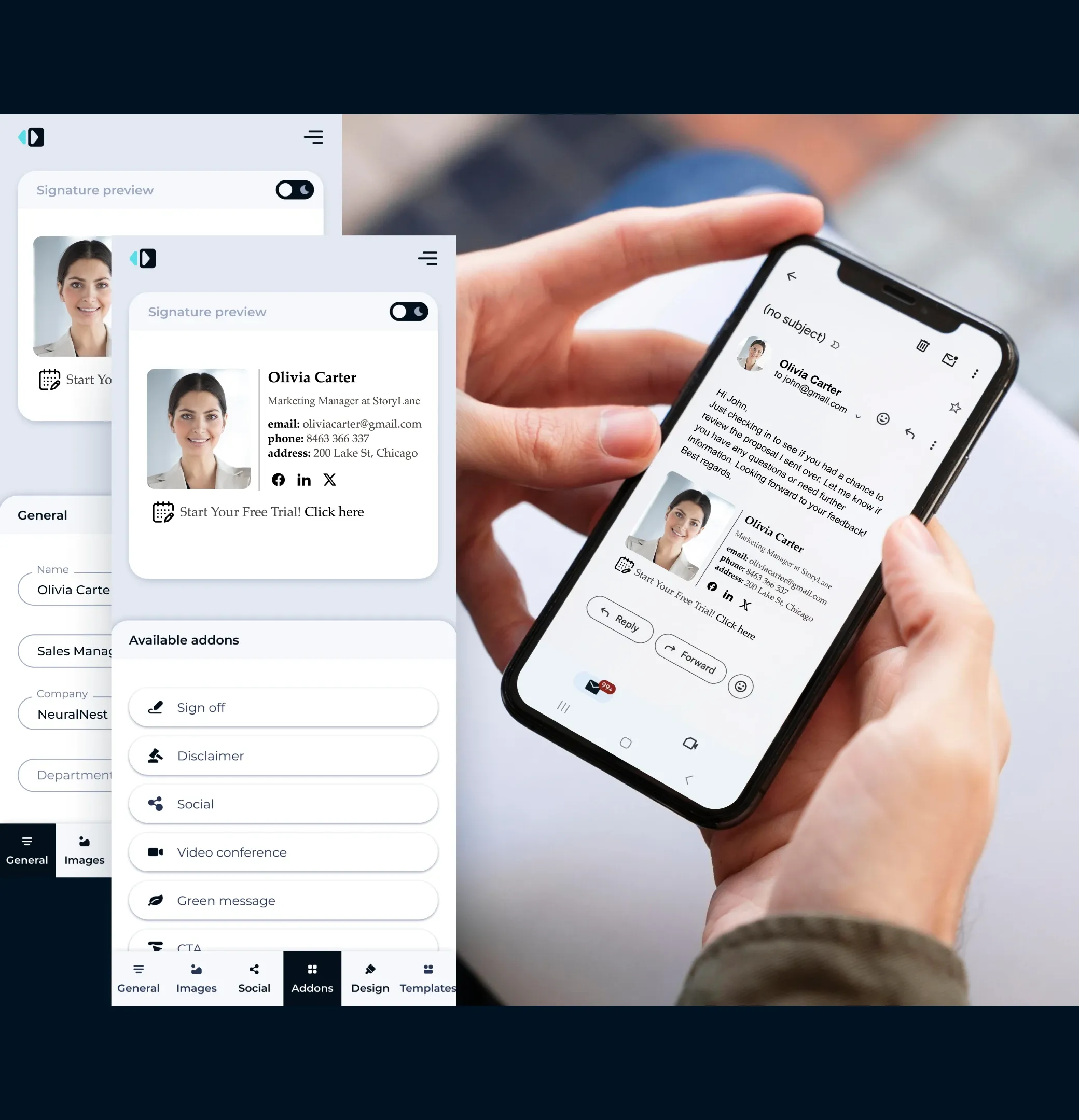
Piensa primero en el móvil
En 2026 la mayoría de los correos se abrirán en el móvil. Asegúrate de que tu firma se vea bien en pantallas pequeñas: diseño compacto, botones fáciles de pulsar y texto que se lea sin ampliar.
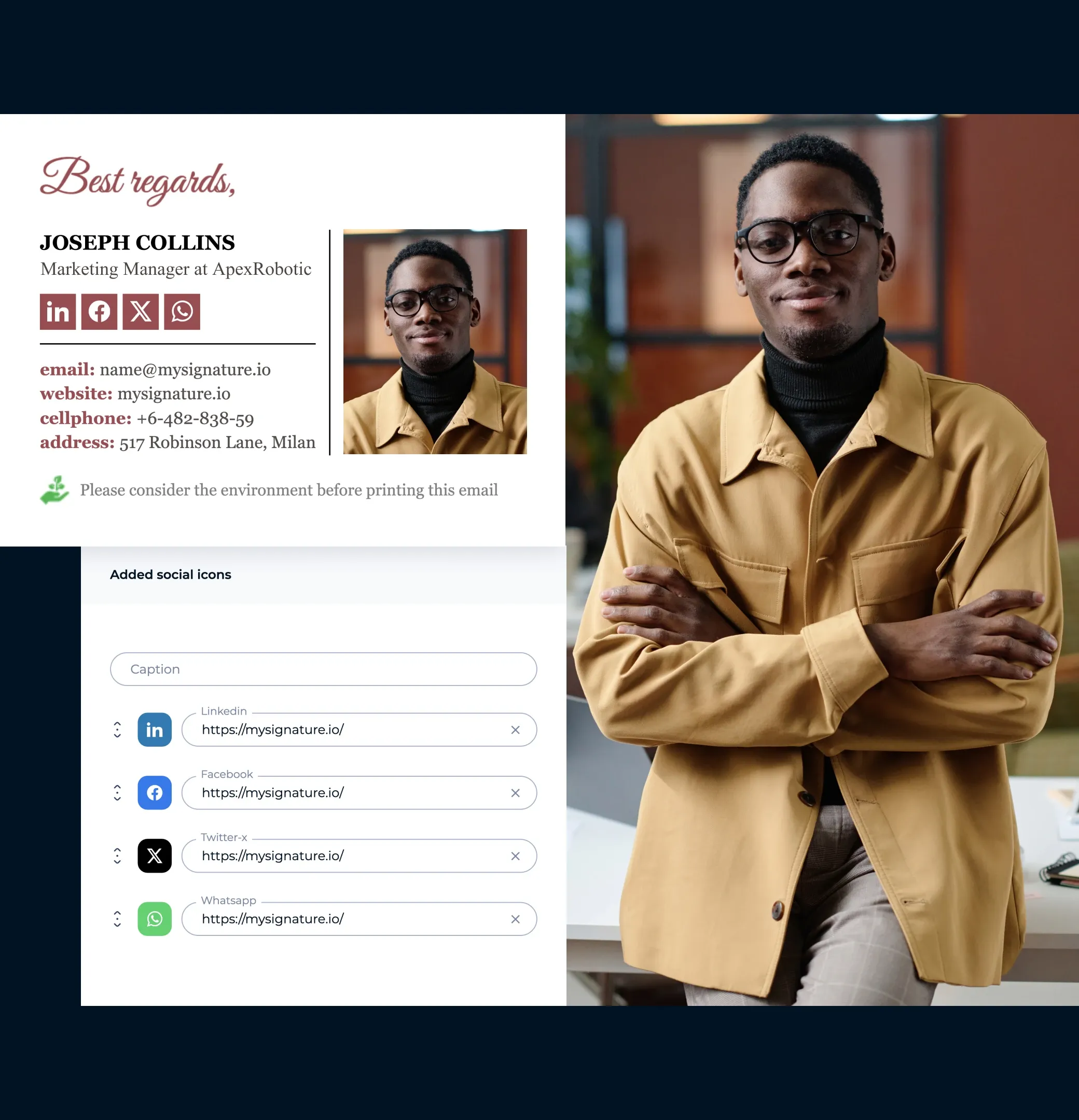
Enlaza tus perfiles sociales
Añade iconos en los que se pueda hacer clic de LinkedIn, Twitter u otras plataformas profesionales para mantener el interés de los clientes más allá de la bandeja de entrada.
Mide el rendimiento con la analítica
Usa un generador de firmas como MySignature, que te permite medir los clics en tus enlaces o banners. Así ves qué funciona y ajustas el diseño o las ofertas para conseguir mejores resultados.

Plantillas de firma de correo para responsables de marketing
Inspírate en estos ejemplos de diseño profesional, todos creados con MySignature, para integrar las firmas de correo en tu estrategia de marketing
Ver la galería de plantillas de firma de correo


Las firmas de correo como parte de tu estrategia de éxito del cliente
Convierte los contactos cualificados por marketing en demos
Tu firma de correo puede hacer mucho más que despedir el mensaje: puede reservarte la próxima reunión. Añade un botón claro de «Reservar una demo» a las firmas de tu equipo de éxito del cliente para que los clientes actúen desde su propia bandeja de entrada.
Impulsa las inscripciones a tus webinars
¿Tienes un evento a la vista? Colócalo en todas las conversaciones por correo.
Consigue más reseñas de producto
A menudo, un cliente satisfecho está a un solo clic de dejarte una buena reseña. Añade a tu firma de correo un botón amable de «Comparte tu opinión» para animarle a responder de forma rápida y sin esfuerzo.

Roman Hotsiak
Correo electrónico y marketing por SMS
Tuve una gran experiencia. Mysignature es muy sencillo y muy personalizable. Puedo crear fácilmente una bonita firma profesional para mi equipo. Gracias al equipo de asistencia por ayudarme a configurar una firma para el correo electrónico de mi empresa.

Mary McGuire
Asesoramiento y Coaching Empresarial
Me gusta la cantidad de información que se puede transmitir en lo que de otro modo sería espacio desperdiciado. Particularmente me gusta el diseño y la facilidad de uso.

KiwiOnTheSticks
Creadora de contenido de juegos
¡Me encanta usar Mysignature! Es súper fácil de configurar, ¡incluso te permite utilizar Canva dentro del editor! Me encanta este servicio y lo recomiendo a cualquiera que quiera dar un toque limpio y profesional a sus correos electrónicos.

João Mino
Traductor y redactor
¡Me gustan las plantillas de firma de correo electrónico bien diseñadas de Mysignature! Además, su rastreador de Gmail me permite hacer un seguimiento de la actividad del correo electrónico después de enviarlo. Por ejemplo, si el cliente ha recibido o no mi factura.


G2 crowd


Capterra

Product Hunt


Trustpilot

Tienda web de Chrome
Crea una plantilla de firma de correo de marketing en 5 minutos o menos
Vamos a crear tu firmaCon el editor de firmas gratuito de MySignature puedes diseñar en un momento una firma de correo profesional, tarjetas de visita digitales y páginas de link in bio.
Descubre más categorías de plantillas de firma de correo
¿Quieres ver más plantillas? Aquí tienes otras categorías de plantillas modernas de firma de correo que puedes consultar.